Overview
Starting with Resilio Connect v 2.4.0, each agent records ongoing events and can show them in Management Console UI. Event logs are stored in 2 places:
- Databases at <server's storage>/var/data/reporting/daily/ folder.
If this folder grew up in size unexpectedly, you can tune server's configuration to clean redundant log files automatically. - Events.log files (disabled by default, edit resilio-connect-server.conf to enable)
Basically, these are text files that are locally stored in agents’ storage folder in “events” subdirectory and rotate - when log file reaches 100MB, it’s zipped up and kept for as many days as Event logs max age (days) in Agent profile says, default is 30 days. Events older than that cannot be viewed in UI.
Admin can use the log file to examine it with a third-party tool, for example, Splunk.
Important Note
Agents older than v.2.4.0 won’t be able to show their events.View event logs directly in MC (from v.2.5 and up)
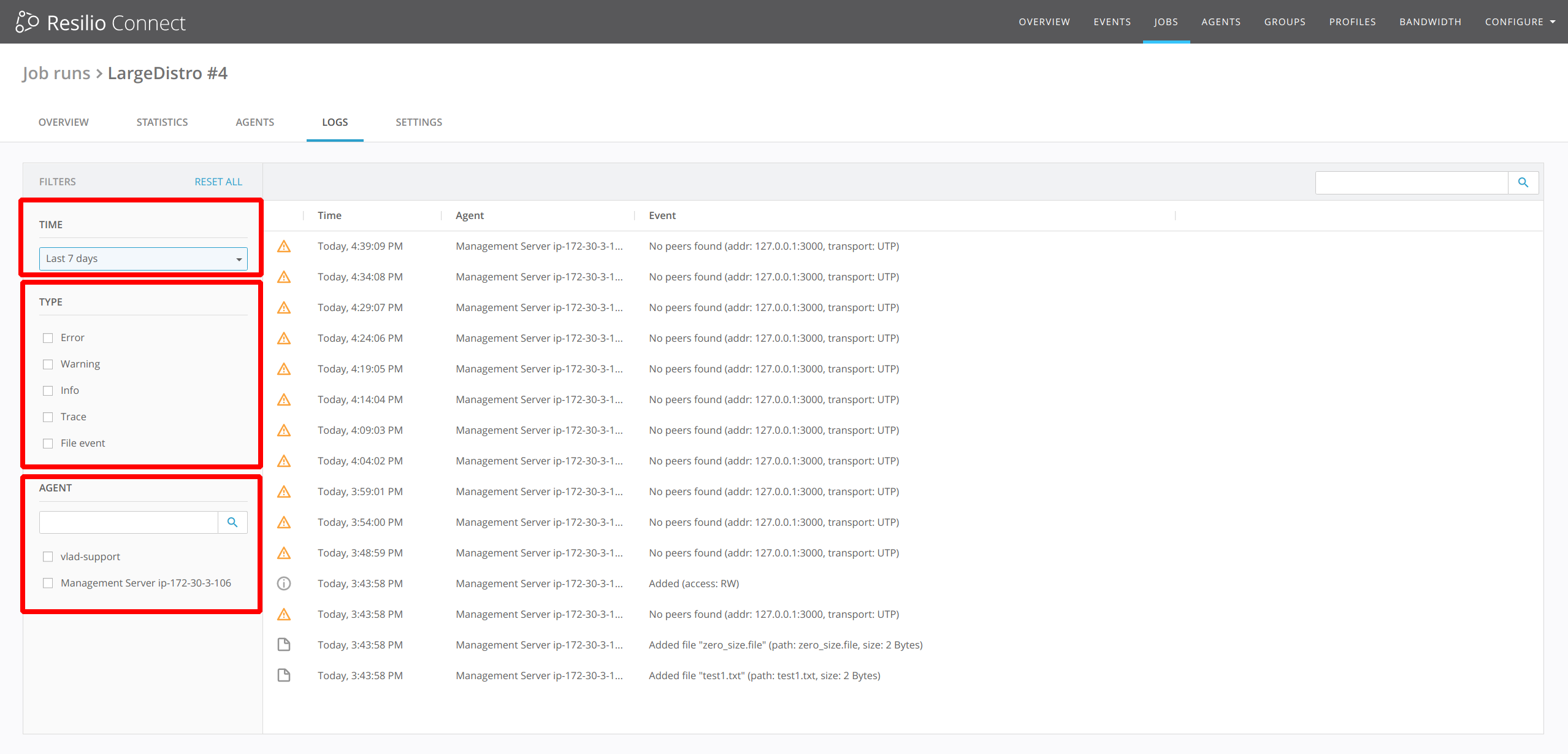
Starting with Resilio Connect v.2.5.0, agent event logs can be viewed in agent details.
These are locally stored both in the Agent's and Console's storage folder as a database file

Use the filter to the left of the window to get events for particular time interval, specific job run or event type.
Fetch event logs manually.
Call to mind
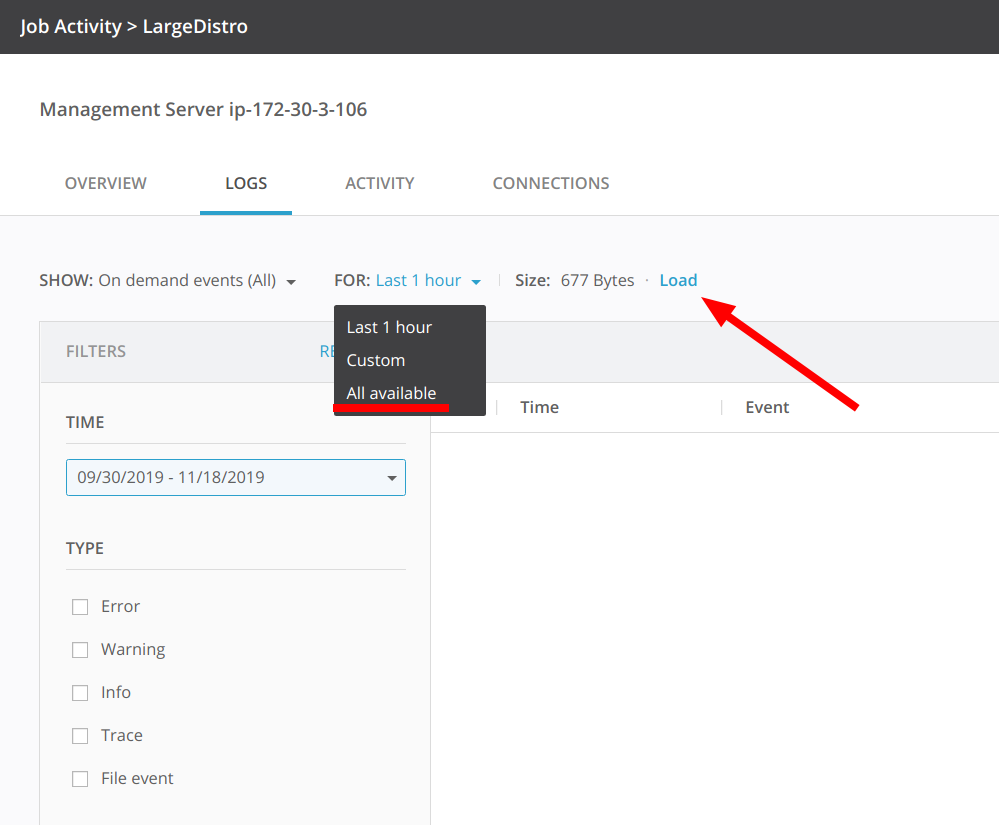
Management Console will retrieve only those event types that are masked in Agent or Job profiles, parameter "Console's events detalization".But you can fetch all events manually if needed. All you need is just open particular agent details inside the job run and go to the on demand events.
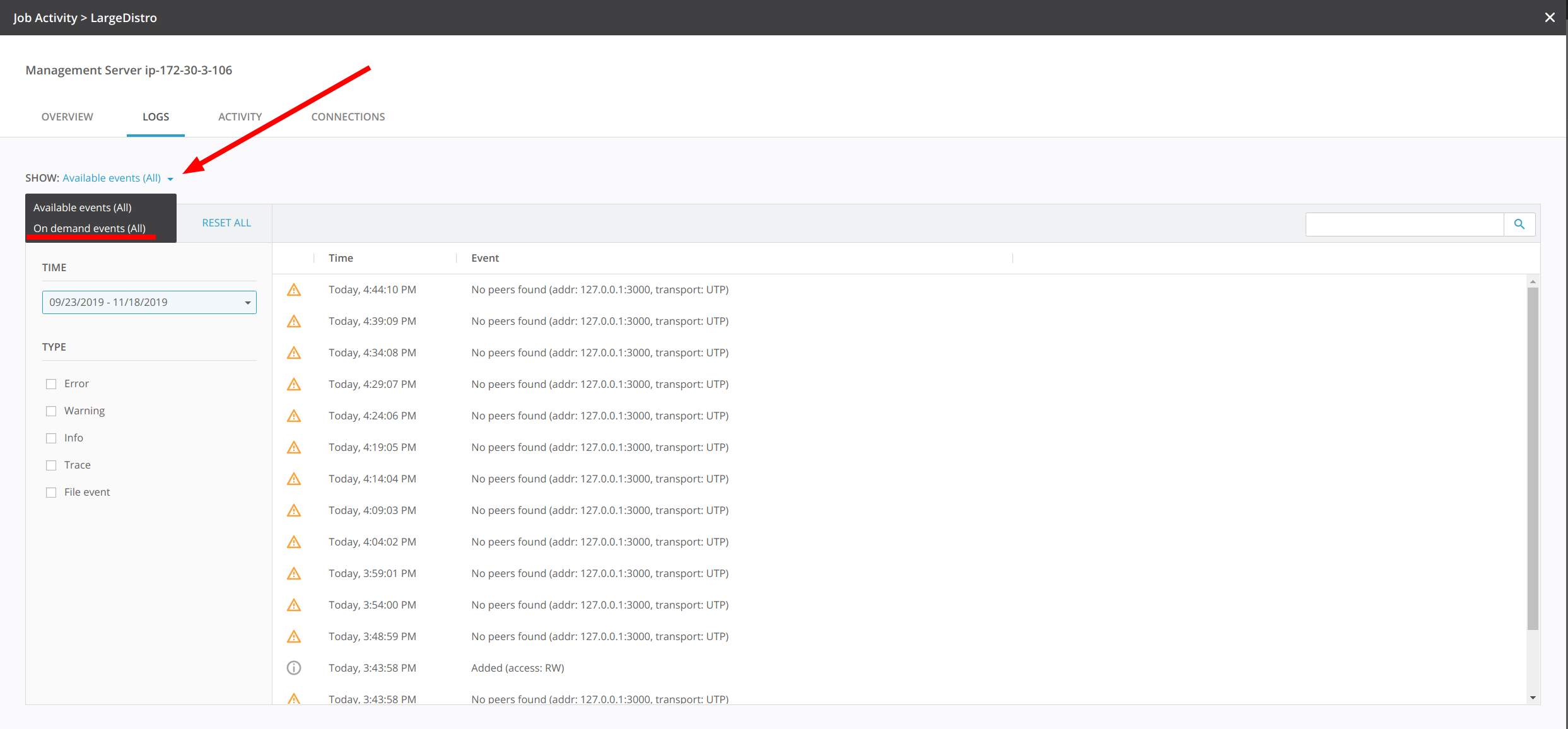
There you can select either all available event or specific time interval and click Load button
Event types
Error shows errors that agent encounters. Errors prevent agents from synchronizing files and completing the job, and these might be signaling about failed connection to tracker, time difference between agents, lack of permissions to access files, running out of storage space, failed script etc.
Warning, as opposed to errors do not stop syncing, but are just informing about some minor
Info events inform about job being created/deleted, transfer jobs competed, paused/unpaused, agents shut down or started.
Trace events are most substantive. They show step-by-step job execution - deploying job policy, applying new settings, starting and finishing scripts, discovering other agents, indexing and transferring files, closing connections upon completing the job.

File events are those related to files themselves, like new file added, deleted or updated by the agent.
Sources of events are App (the agent process itself) and Transfer (job). App source informs about applying profile settings. Transfer events are all types of events referring to job and file transfer.
Full events log schema is available here.